ezHumanizer vs HumanizeAI.pro
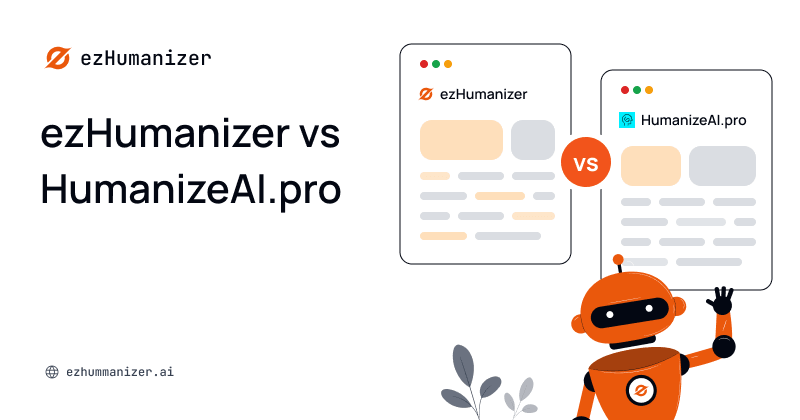
ezHumanizer and HumanizeAI.pro are two AI text humanizers built to transform AI-generated content into human-like and natural-sounding text. Both are accessible online, but they differ significantly in how they humanize text and the features they offer.
In this blog, we’ll test and compare different aspects of both tools in detail to help you know which one may better suit your needs.
Let’s first take a brief look at each tool before moving on to the detailed comparison…
A Brief Overview of ezHumanizer
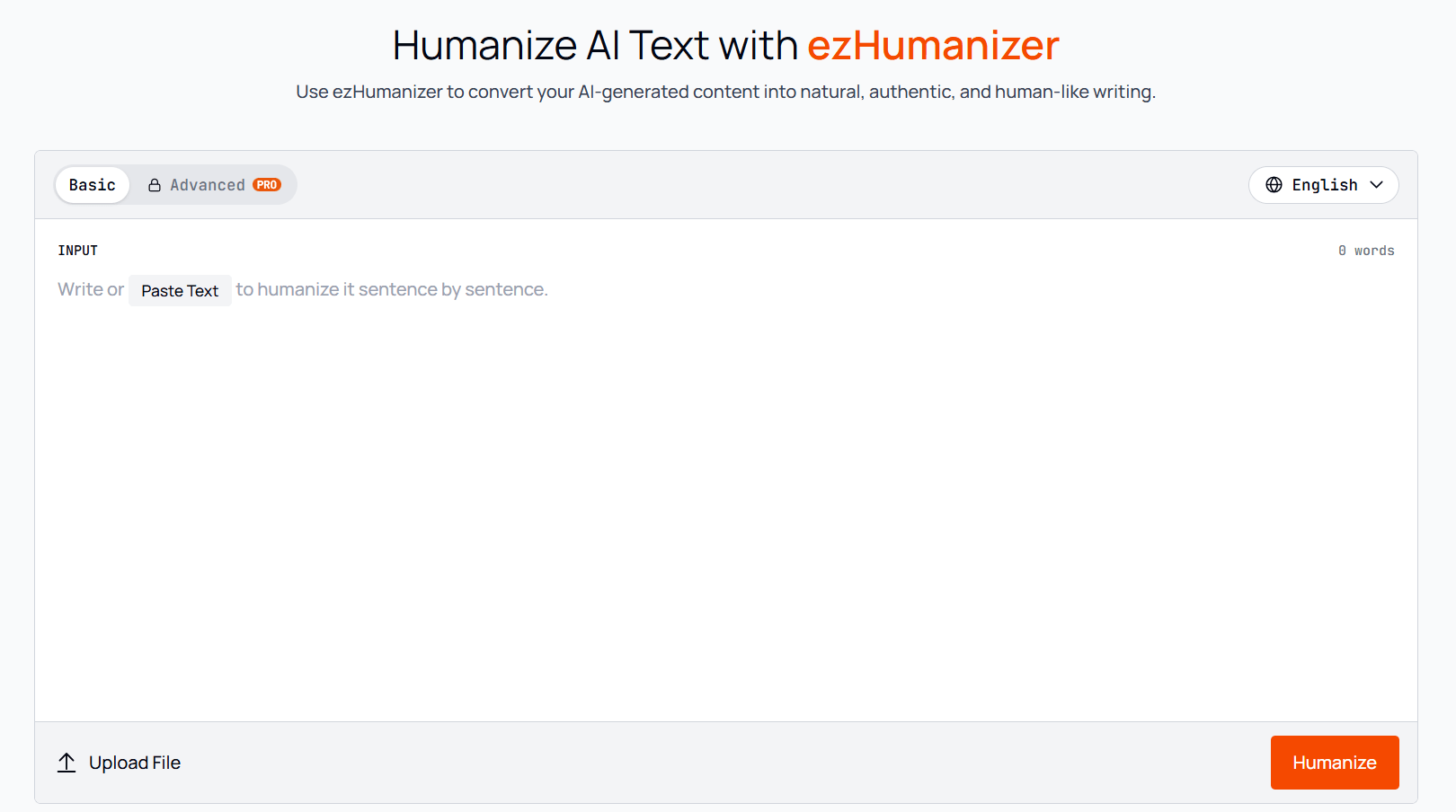 ezHumanizer is an online AI text humanizer tool that allows free and quick access. It rewrites the text generated from AI tools into output that reads as if written by a human writer. To humanize any content, it uses different humanization techniques that we’ll discuss later while evaluating its functionality.
It can humanize a wide range of AI-written content, including blog posts, marketing copy, emails, product descriptions, and more.
A Brief Overview of HumanizeAI.pro
HumanizeAI.pro is an online AI humanizer that is also designed to transform AI-generated text into writing that sounds human-like. It allows users to humanize and remove robotic characteristics from their writing.
ezHumanizer vs HumanizeAI.pro: Features Comparison
1. Free Usage & Word Limit Per Submission
Both tools are available in free versions. However, there are a lot of differences between them.
HumanizeAI.pro allows you to process up to 200 words per submission for free. Although you can run the free tool unlimited times, if you need to humanize longer content, you’ll need to first divide your writing into smaller sections and then process it.
In contrast, ezHumanizer’s free version lets users humanize up to 700 words/submission. In other words, it processes more than three times as much text at a time. This feature makes it a more useful and convenient tool for longer blog sections, descriptions, and other content.
For instance, let’s suppose you have a blog post of 1400 words.
With HumanizeAI.pro's free version, it requires running your content through it at least 7 times to humanize it.
With ezHumanizer's 700-word free submission limit, you would need to run the tool only 2 times to process the same blog of 1400 words.
So, the increased word limit is one of the clearest practical advantages of ezHumanizer, especially for users who regularly deal with blog posts, articles, or long content pieces.
2. Humanization Modes
Humanization modes are a useful feature that users often look for in a tool because different types of content need different levels of refinement.
Both tools offer multiple modes; let’s compare them;
ezHumanizer comes with two modes: Basic and Advanced. Both modes humanize your text differently. Based on the tool's description and our testing:
Basic mode rewrites content to make it sound natural and smooth without changing the actual meaning.
Advanced mode works more deeply to fully rewrite sentences, refine overall writing flow, and provide more authentic content that seems like human writing.
HumanizeAI.pro also comes with multiple modes to help users humanize text in different styles and tones. Plus, it offers a “Custom” style option, allowing you to humanize content in your own style.
The two tools take different approaches to humanization modes. ezHumanizer is focused on different levels of humanization (which we call modes), while HumanizeAI.pro is focused on providing more control over the writing tone.
3. Refining Humanized Text
The first humanized version is not always what you want. Sometimes the complete output needs another pass, while in other cases, only one line or two may need further refinement.
Let’s compare these tools in this aspect….
When it comes to ezHumanizer, it provides both Re-Humanize and Rephrase options. So, if the first output is not satisfactory, or you need another version as a choice, you can click “Re-Humanize” and get another version. If there is only a particular line or sentence that needs improvement, you can select it and use “Rephrase” to get an alternative.
In comparison, HumanizeAI.pro also lets you rephrase a particular line or sentence of the humanized version. But it doesn’t offer options like “Re-Humanize”.
So, both humanizers offer useful features for refining humanized versions, especially when only a specific section needs improvement. However, ezHumanizer provides an additional Re-Humanized option, giving users another way to refine the final version.
4. Language Support
ezHumanizer is currently available in three languages, including English, Spanish, and Portuguese. On the other hand, HumanizeAI.pro offers two dedicated versions for English and Spanish. However, the website claims support for up to five languages, including English, Chinese, Russian, Arabic, and Japanese.
With support for an additional language, ezHumanizer has an edge in this aspect, especially for those users who need to humanize Portuguese or Brazilian text.
5. Pricing
As stated earlier, both tools are available in a free version. Now, let’s compare their premium versions.
ezHumanizer’s Pro plan starts at $6/month for monthly billing, and it charges $5.0/month when billed annually. Here’re the benefits that come with the premium plan:
Advanced Humanization level
30-day History
Priority Support
2500 words/submission
100K credits (means 100K words to humanize)
Let’s now explore HumanizeAI.pro. Its monthly plan starts at $9.99/month for monthly billing and $4.99/month when billed yearly.
Here’re the premium features:
10K words/month
Access to all modes
Increased word limit/submission
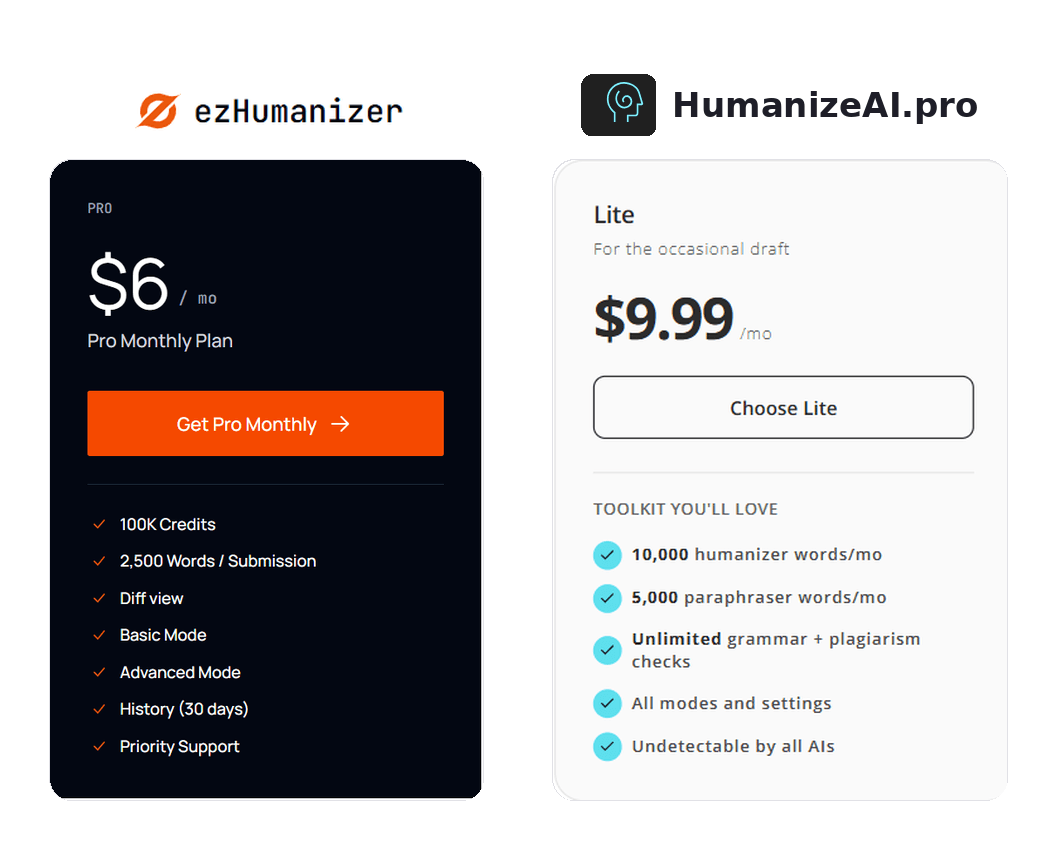
When comparing the premium plans, ezHumanizer offers a higher usage allowance along with additional features at a lower price for users who regularly humanize larger amounts of content.
6. Mobile App & Extensions
ezHumanizer offers both a Chrome browser extension and dedicated iOS and Android apps. You can use the ezHumanizer Chrome extension to humanize AI-written text directly on the web without switching between pages and tabs. Meanwhile, the ezHumanizer app allows users to turn AI content into human text on their smartphones without needing to open a browser.
On the other hand, HumanizeAI.pro doesn’t offer dedicated mobile apps or a browser extension. It is only available as a web-based tool.
In this aspect, ezHumanizer has a clear advantage because its browser extension and mobile apps provide more ways to access and use the tool.
ezHumanizer vs HumanizeAi.pro: Working Comparison
Let’s compare the workings of both tools and check which one is better at AI text humanization. After humanizing text with the tools, we’ll also pass it through AI detectors to check which one bypasses them successfully.
For testing purposes, we created a random paragraph from Gemini.
AI- Generated Paragraph:
“Artificial intelligence has evolved from rigid, rule-based systems in the mid-20th century into dynamic, self-learning networks that shape modern technology. Early milestones focused on symbolic AI and automated logic—capable of performing specific, pre-programmed tasks like playing chess but unable to adapt to new information. The emergence of machine learning and deep learning, fueled by dramatic increases in computational power and massive global datasets, shifted the paradigm from rule-following to pattern recognition.”
We humanized it through ezHumanizer, and below is the output we got.
Humanized Version by ezHumanizer
“From stiff, rule-based systems in the middle of the 20th century, artificial intelligence has developed into dynamic, self-learning networks influencing modern technology. Early developments concentrated on symbolic artificial intelligence and automated logic, which could execute particular, pre-programmed tasks like playing chess but were unable to adjust to fresh data. The paradigm changed from rule-following to pattern identification as machine learning and deep learning developed, driven by significant increases in computing capacity and sizable worldwide datasets.”
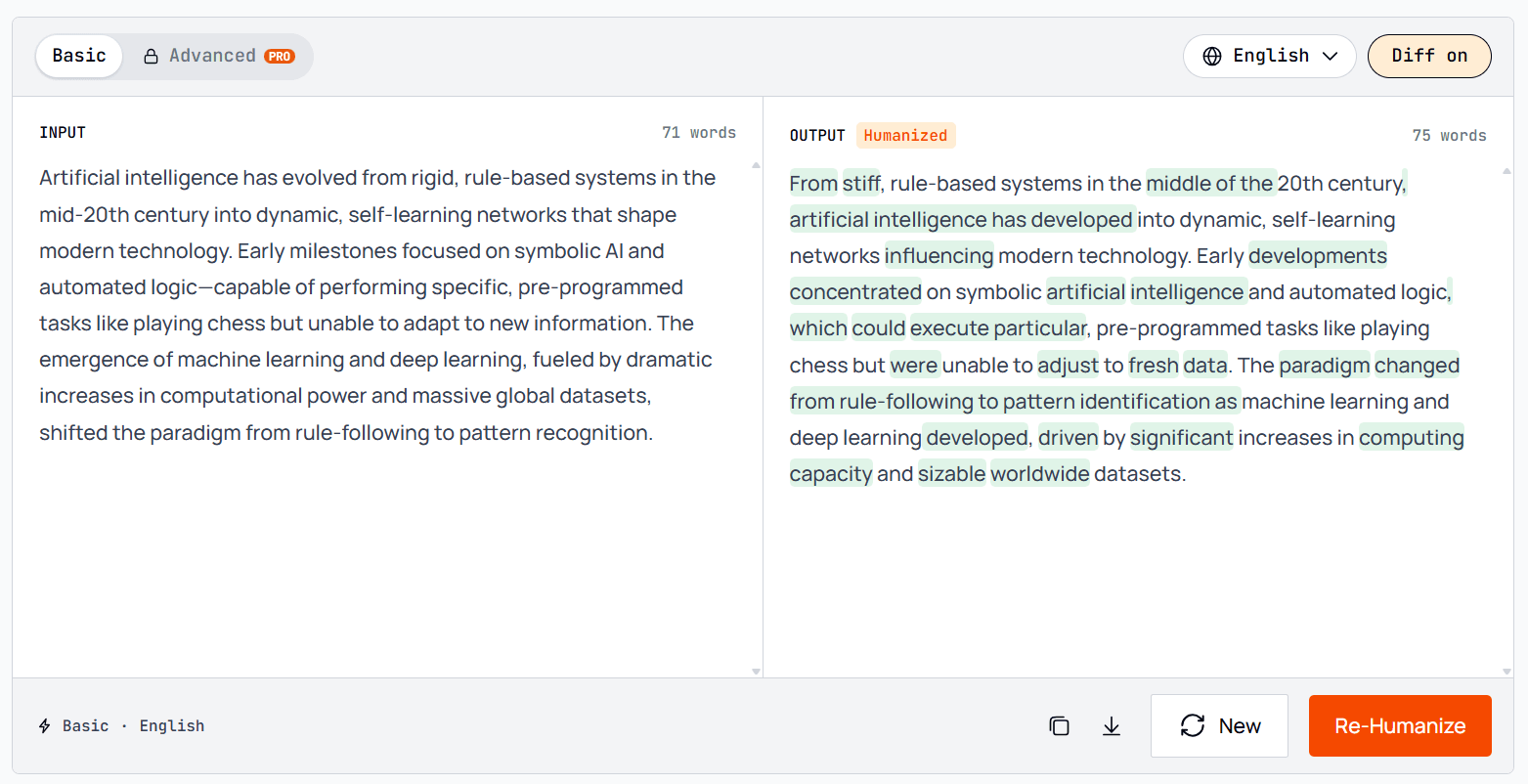
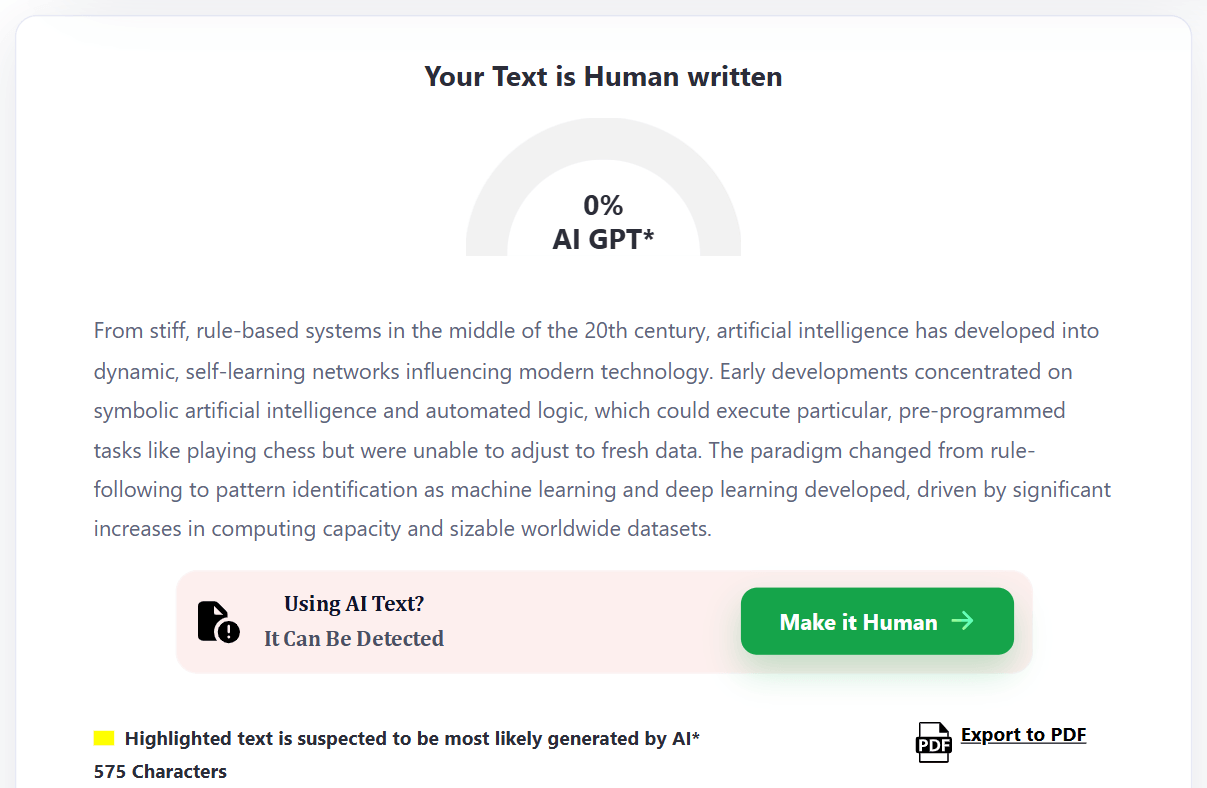
Then, we checked the humanized version with a popular AI detector: ZeroGPT. It classified the output as “Human written” in our test.
ZeroGPT’s report is given below;
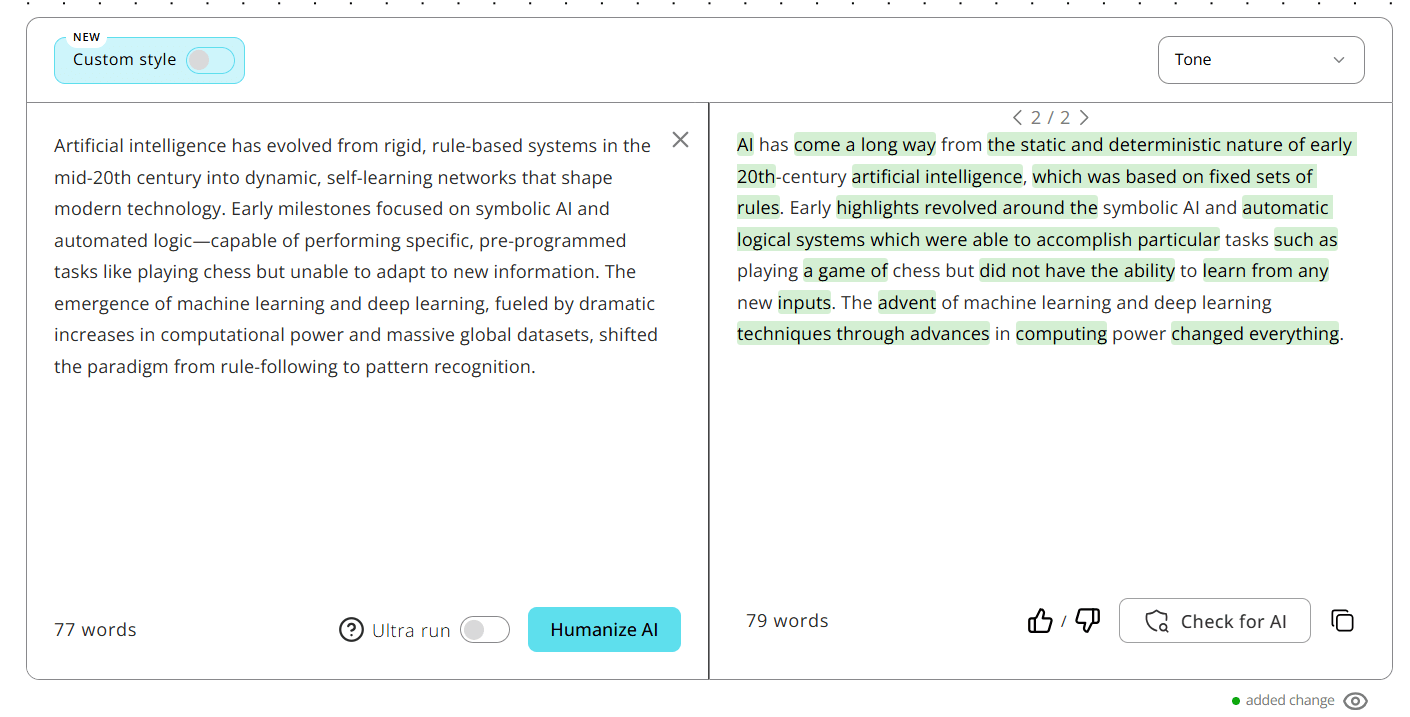
Next, we humanized the same AI paragraph generated by Gemini with HumanizeAI.pro.
Humanized Version by HumanizeAI.pro:
“AI has come a long way from the static and deterministic nature of early 20th-century artificial intelligence, which was based on fixed sets of rules. Early highlights revolved around symbolic AI and automatic logical systems, which were able to accomplish particular tasks such as playing a game of chess but did not have the ability to learn from any new inputs. The advent of machine learning and deep learning techniques through advances in computing power changed everything.”
Here’s the pictorial demo;
Then, we ran the humanized version through the same AI detector. It also bypassed AI detection.
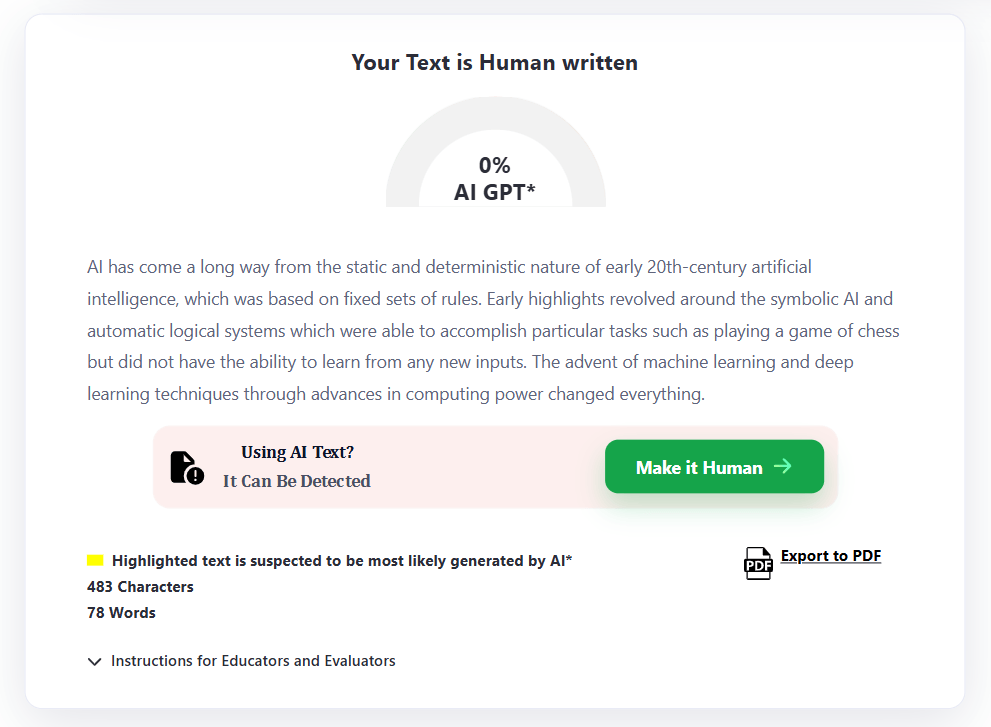
It practically shows that both tools are good at making AI content human-like enough to bypass AI detectors. However, checking humanization wasn’t the sole purpose of comparing the functionality. We also compared the overall quality of both tools’ outputs. Let’s discuss them in the upcoming sections.
What did ezHumanizer do?
When we looked beyond the AI detection result, we noticed that ezHumanizer made several noticeable refinements to the original content.
The tool restructured almost all the sentences instead of just replacing words.
Some phrases in the AI-generated paragraph were difficult to read, so ezHumanizer replaced them with simpler alternatives.
It rearranged many phrases to ensure a natural flow.
The tool kept the technical context of the input. For example, it retained phrases such as symbolic AI, machine learning, deep learning, computational power, and datasets.
Despite significant changes and refinements, the output still conveys the same meaning as the input.
All in all, ezHumanizer turned the AI paragraph into a noticeably different version without changing its main idea.
What Did HumanizeAI.pro Do?
HumanizeAI.pro also made significant modifications to the AI paragraph. It replaced several phrases, restructured the opening, and condensed some information.
However, when we compared the humanized version with the original paragraph, we noticed some details were removed. For instance, the reference to “massive global datasets” and the more detailed explanation of the shift from rule-following to pattern recognition were not retained in the same level of detail.
ezHumanizer vs HumanizeAI.pro: A Comparison Table
Feature | ezHumanizer | HumanizeAI.pro |
Free words per submission | ✅700 words | ❌200 words |
Free usage | ❌2,500 credits | ✅Unlimited runs |
Humanization modes | ❌Basic & Advanced | ✅Multiple styles/tones + Custom |
Re-Humanize | ✅Yes | ❌No |
Sentence Rephrase | ✅Yes | ✅Yes |
Language support | ✅3 languages – English, Spanish & Portuguese | ❌2 dedicated versions for English & Spanish (but website claims 5-language support) |
Pro monthly price | ✅$6/month | ❌$9.99/month |
Pro annual price | ✅$5/month | ❌$4.99/month |
Pro usage | ✅100K credits / 2500 words per submission | ❌10K words/month |
Text History | ✅Yes | ❌No |
Chrome extension | ✅Yes | ❌No |
Android app | ✅Yes | ❌No |
iOS app | ✅Yes | ❌No |
So, Which One Should You Choose?
Generally, this question’s answer highly depends on the particular needs and preferences of users.
If your priority is to have more control over writing tones and styles, then HumanizeAI.pro can be a suitable tool for you.
But if you want to humanize long text at once, refine the output in multiple ways, access the tool across different devices, and get more features at a low price, then ezHumanizer is the better choice.